ZYBERMART ස්ථාපනය කරන්න

සෑම මෙවලමක්ම ඔබේ home screen එකෙන් හෝ dock එකෙන්, වෙනම කවුළුවක විවෘත කරන්න. ඔබ භාවිත කළ මෙවලම් offline ද ක්‍රියා කරයි.

පත්‍රයකට PDF පිටු කිහිපයක්

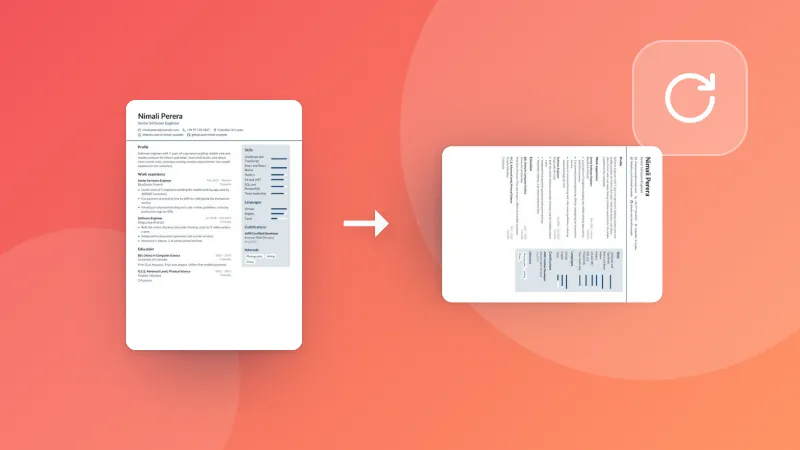
Slides, handouts සහ සටහන් මුද්‍රණය කිරීමේදී කඩදාසි ඉතිරි කිරීමට එක් පත්‍රයකට PDF පිටු 2, 4, 6, 8, 9 හෝ 16ක් තබන්න.

How to put several PDF pages on one sheet

  1. Choose your PDF.
  2. Pick how many pages per sheet, the paper size and the order. The preview shows the first sheet.
  3. Download the new PDF and print it.

Want only some pages? Split the PDF first, or delete the pages you don’t need.

Frequently asked questions

What does pages per sheet mean?

Several pages of a PDF are shrunk and placed side by side on one sheet, like the “2 pages per sheet” setting in a print dialog. It saves paper when printing slides, handouts and study notes.

Is the text still sharp?

Yes. The pages are placed as they are, not turned into pictures, so text stays crisp and selectable at any zoom.

Which layout should I pick?

2 per sheet suits documents and books (they fit side by side on a landscape sheet). 4 or 6 per sheet suits slides, 9 or 16 per sheet suits contact sheets and quick overviews.

Is my PDF uploaded?

No. The new PDF is made in your browser.

ZYBERMART වෙත පුරනය වන්න

ඔබේ CV, ඉන්වොයිසි, flashcards, සටහන් සහ සුරැකි මෙවලම් ඔබේ සියලු උපාංගවල තබා ගන්න. එය නොමිලේ, ගිණුමක් නැතිවත් මෙවලම් එලෙසම ක්‍රියා කරයි.

හෝ

මුරපදයක් අවශ්‍ය නැත. පුරනය වීමෙන් ඔබ නියමවලට එකඟ වේ; අපි ඔබේ දත්ත හසුරුවන ආකාරය රහස්‍යතා ප්‍රතිපත්තියෙන් බලන්න.

ඔබේ ගිණුම

ඉවත් වූ පසුත් ඔබේ වැඩවල පිටපතක් මෙම බ්‍රවුසරයේ ඉතිරි වේ. පොදු පරිගණකයක නම්, පසුව ඔබේ බ්‍රවුසර දත්ත මකන්න.

ඔබට සෑදීමට අවශ්‍ය කුමක්ද?

නිර්මාණ

සමාජ මාධ්‍ය

ලේඛන

අධ්‍යයනය

සංස්කරණය

මෙවලම් 282 සියල්ල බලන්න