Instalar o ZYBERMART

Abra qualquer ferramenta pela tela inicial ou pelo Dock, em uma janela própria. As ferramentas que você já usou também funcionam offline.

Conversor de JPG para PDF

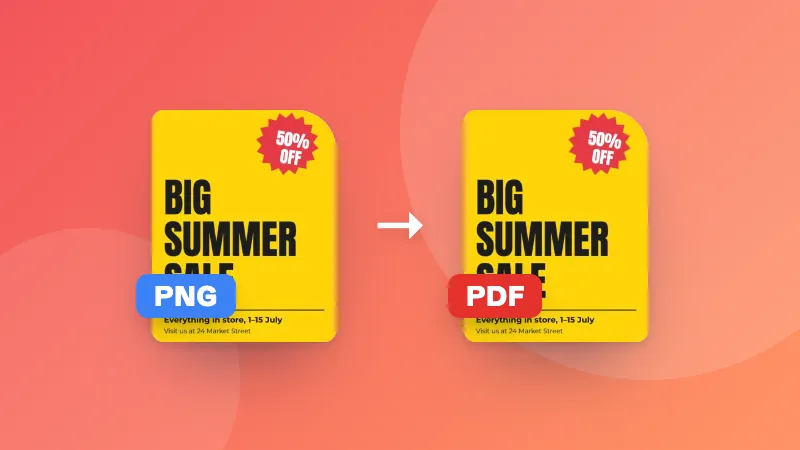
Transforme JPG, PNG e outras imagens em um único PDF, uma imagem por página, na ordem que escolher.

    How to convert JPG to PDF

    1. Choose a page size. Pick “Fit to image” for screen viewing, or A4/Letter for printing.
    2. Add your images and put them in the right order with the arrows.
    3. Click Create PDF. Your PDF downloads with one image per page.

    Common uses

    • Turning photos of receipts or documents into one PDF for expenses or applications
    • Sending a set of scanned pages as a single attachment
    • Creating a simple photo album or portfolio to share

    Need to add the result to another document? Combine them with Merge PDF.
    Frequently asked questions

    Can I combine several images into one PDF?

    Yes. Add as many images as you like. Each image becomes one page, in the order shown in the list. Use the arrows to reorder them before creating the PDF.

    Which image formats are supported?

    JPG, PNG, WEBP and GIF images work. JPG images are embedded as they are, so their quality is preserved exactly.

    Which page size should I choose?

    “Fit to image” makes each page exactly the size of its image, which is best for viewing on screen. Choose A4 or US Letter if you plan to print the PDF or submit it somewhere that expects a standard page size.

    Are my photos uploaded?

    No. The PDF is created in your browser, so your images never leave your device.

    Entrar no ZYBERMART

    Tenha seus currículos, faturas, flashcards, notas e ferramentas salvas em todos os seus dispositivos. É grátis, e as ferramentas funcionam igual sem conta.

    ou

    Não precisa de senha. Ao entrar, você concorda com os termos; veja como tratamos seus dados na política de privacidade.

    Sua conta

    Ao sair, uma cópia do seu trabalho fica neste navegador. Em um computador compartilhado, limpe os dados do navegador depois.

    O que você quer criar?

    Designs

    Redes sociais

    Documentos

    Estudos

    Editar

    Ver todas as 282 ferramentas