Instalar ZYBERMART

Abre cualquier herramienta desde tu pantalla de inicio o el Dock, en su propia ventana. Las que ya has usado también funcionan sin conexión.

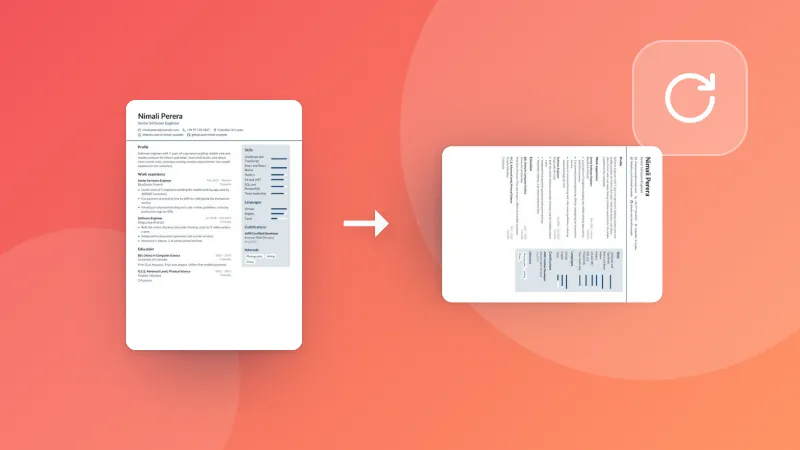
Cambiar tamaño de PDF

Cambia el tamaño de página de un PDF a A4, Letter, Legal, A3, A5 o uno propio, ajustando las páginas o manteniendo su tamaño.

How to resize PDF pages

  1. Pick the paper size you need (A4, Letter, A3 and more, or your own).
  2. Choose whether the content is scaled to fit, or kept at its size with margins.
  3. Choose your PDF. The resized PDF downloads straight away.

Printing several pages on one sheet? Use Pages per sheet. To cut off margins, use Crop PDF.

Frequently asked questions

How do I change a PDF from A4 to Letter?

Choose Letter, then your PDF. Each page is scaled to fit the new paper, keeping its shape, and centred, so nothing is cut off. Text stays sharp.

What does “Keep the size, add margins” do?

The pages keep their size and are placed on the new paper as they are: smaller pages get white margins around them, bigger ones are trimmed at the edges. Use it when the print size must stay exact.

Are landscape pages kept landscape?

Yes. With “Match each page”, landscape pages get landscape paper and portrait pages portrait paper.

Is my PDF uploaded?

No. The pages are resized in your browser.

Inicia sesión en ZYBERMART

Ten tus CV, facturas, tarjetas de estudio, notas y herramientas guardadas en todos tus dispositivos. Es gratis, y las herramientas funcionan igual sin cuenta.

o

No necesitas contraseña. Al iniciar sesión aceptas los términos; consulta cómo tratamos tus datos en la política de privacidad.

Tu cuenta

Al cerrar sesión se guarda una copia de tu trabajo en este navegador. En un ordenador compartido, borra después los datos del navegador.

¿Qué quieres crear?

Diseños

Redes sociales

Documentos

Estudio

Editar

Ver las 282 herramientas