Instalar ZYBERMART

Abre cualquier herramienta desde tu pantalla de inicio o el Dock, en su propia ventana. Las que ya has usado también funcionan sin conexión.

Convertir Word a PDF

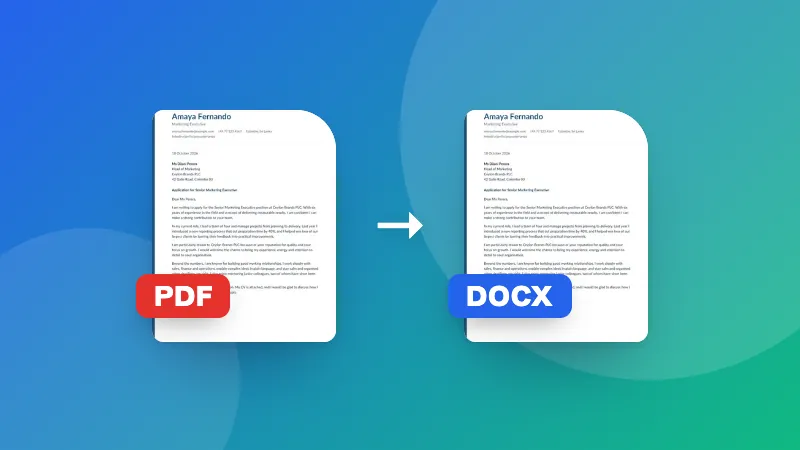
Convierte documentos de Word (.docx) a PDF en tu navegador, conservando el texto, las imágenes, las tablas y el diseño.

How to convert Word to PDF

  1. Choose your .docx file. A preview of the document appears.
  2. Click Download PDF, or Print / Save as PDF and pick “Save as PDF” as the printer.
  3. Check the PDF and share it.

To go the other way, use PDF to Word. To make the PDF smaller for email, use Compress PDF.

Frequently asked questions

Will the PDF look exactly like my Word document?

Text, headings, lists, tables, images, colors and page size are kept. Very complex layouts, such as text boxes, shapes, unusual fonts or tracked changes, may look slightly different from Word. Check the preview before saving.

What's the difference between the two save options?

“Download PDF” makes the PDF directly, with each page saved as a sharp image that looks the same everywhere. “Print / Save as PDF” uses your browser's print dialog and keeps the text selectable and searchable.

Can I convert old .doc files?

No, only .docx (Word 2007 and later). Open the .doc file in Word, Google Docs or LibreOffice and save it as .docx first.

Is my document uploaded?

No. The document is read and converted in your browser, which keeps confidential files private.
Inicia sesión en ZYBERMART

Ten tus CV, facturas, tarjetas de estudio, notas y herramientas guardadas en todos tus dispositivos. Es gratis, y las herramientas funcionan igual sin cuenta.

o

No necesitas contraseña. Al iniciar sesión aceptas los términos; consulta cómo tratamos tus datos en la política de privacidad.

Tu cuenta

Al cerrar sesión se guarda una copia de tu trabajo en este navegador. En un ordenador compartido, borra después los datos del navegador.

¿Qué quieres crear?

Diseños

Redes sociales

Documentos

Estudio

Editar

Ver las 282 herramientas