Instal ZYBERMART

Buka semua alat dari layar utama atau dock, di jendelanya sendiri. Alat yang pernah Anda gunakan juga bisa dipakai offline.

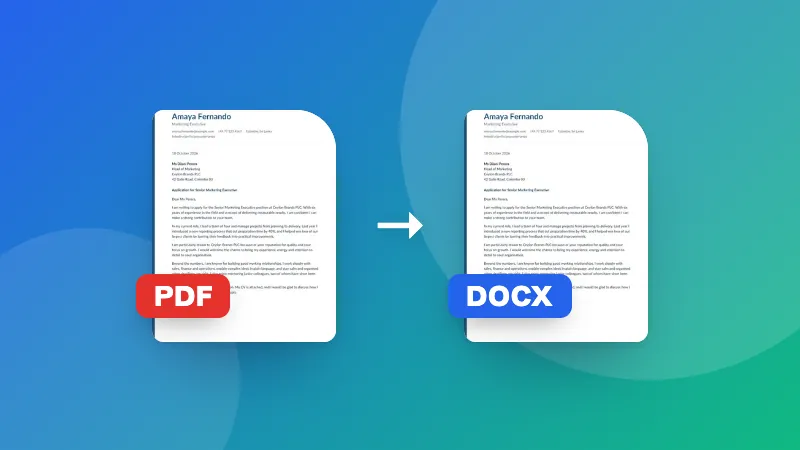
Konverter Word ke PDF

Ubah dokumen Word (.docx) ke PDF di browser Anda, dengan teks, gambar, tabel, dan tata letak tetap terjaga.

How to convert Word to PDF

  1. Choose your .docx file. A preview of the document appears.
  2. Click Download PDF, or Print / Save as PDF and pick “Save as PDF” as the printer.
  3. Check the PDF and share it.

To go the other way, use PDF to Word. To make the PDF smaller for email, use Compress PDF.

Frequently asked questions

Will the PDF look exactly like my Word document?

Text, headings, lists, tables, images, colors and page size are kept. Very complex layouts, such as text boxes, shapes, unusual fonts or tracked changes, may look slightly different from Word. Check the preview before saving.

What's the difference between the two save options?

“Download PDF” makes the PDF directly, with each page saved as a sharp image that looks the same everywhere. “Print / Save as PDF” uses your browser's print dialog and keeps the text selectable and searchable.

Can I convert old .doc files?

No, only .docx (Word 2007 and later). Open the .doc file in Word, Google Docs or LibreOffice and save it as .docx first.

Is my document uploaded?

No. The document is read and converted in your browser, which keeps confidential files private.
Masuk ke ZYBERMART

Simpan CV, invoice, flashcard, catatan, dan alat tersimpan Anda di semua perangkat. Gratis, dan semua alat tetap berfungsi sama tanpa akun.

atau

Tanpa kata sandi. Dengan masuk, Anda menyetujui ketentuan kami; lihat cara kami mengelola data Anda di kebijakan privasi.

Akun Anda

Saat keluar, salinan pekerjaan Anda tetap tersimpan di browser ini. Di komputer bersama, hapus data browser setelahnya.

Apa yang ingin Anda buat?

Desain

Media sosial

Dokumen

Belajar

Edit

Lihat semua 282 alat