Instalar ZYBERMART

Abre cualquier herramienta desde tu pantalla de inicio o el Dock, en su propia ventana. Las que ya has usado también funcionan sin conexión.

Visor y editor de hojas de cálculo

Abre archivos Excel y CSV sin Excel, y busca, ordena, edita celdas y guarda en XLSX o CSV.

What you can do

  • View every sheet of an Excel workbook, or a CSV file, without Excel or an account.
  • Search to show only the rows that contain a word or number.
  • Sort by any column by clicking its letter; click again to reverse the order.
  • Edit cells, add rows and columns, and delete rows.
  • Save the result as an Excel workbook or a CSV file.

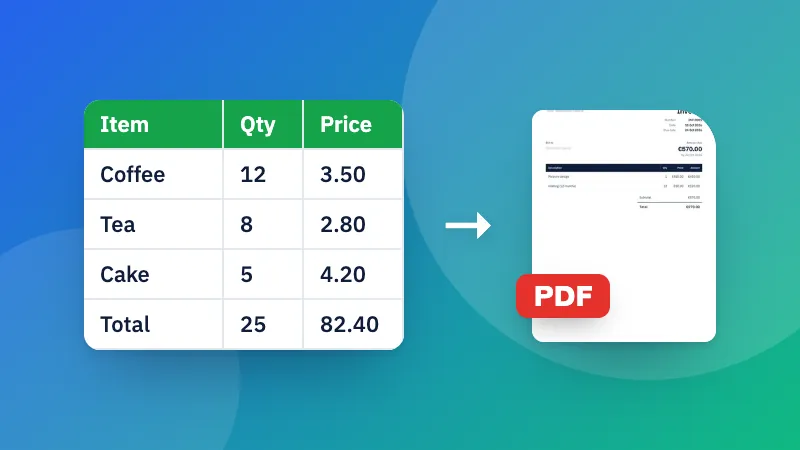
Need a different format? See Excel to CSV, CSV to Excel and Excel to PDF.

Frequently asked questions

How do I open an Excel file without Excel?

Choose or drop the file here. XLSX, XLS, ODS and CSV files open straight away in your browser, on a computer or a phone, and you can search, sort and edit them.

Are formulas and formatting kept?

The viewer shows and saves cell values, the way Excel displays them. Formulas, colors, charts and merged cells aren't kept when you save, so keep your original file if you need them.

How do I edit a cell?

Click or tap the cell and type. Press Enter or click elsewhere to finish. Use the buttons above the table to add rows and columns, and the × next to a row number to delete that row.

Is my file uploaded?

No. The spreadsheet is opened and edited in your browser, which also makes it safe for confidential data.

Inicia sesión en ZYBERMART

Ten tus CV, facturas, tarjetas de estudio, notas y herramientas guardadas en todos tus dispositivos. Es gratis, y las herramientas funcionan igual sin cuenta.

o

No necesitas contraseña. Al iniciar sesión aceptas los términos; consulta cómo tratamos tus datos en la política de privacidad.

Tu cuenta

Al cerrar sesión se guarda una copia de tu trabajo en este navegador. En un ordenador compartido, borra después los datos del navegador.

¿Qué quieres crear?

Diseños

Redes sociales

Documentos

Estudio

Editar

Ver las 282 herramientas