Instal ZYBERMART

Buka semua alat dari layar utama atau dock, di jendelanya sendiri. Alat yang pernah Anda gunakan juga bisa dipakai offline.

Penampil & Editor Spreadsheet

Buka file Excel dan CSV tanpa Excel, lalu cari, urutkan, edit sel, dan simpan sebagai XLSX atau CSV.

What you can do

  • View every sheet of an Excel workbook, or a CSV file, without Excel or an account.
  • Search to show only the rows that contain a word or number.
  • Sort by any column by clicking its letter; click again to reverse the order.
  • Edit cells, add rows and columns, and delete rows.
  • Save the result as an Excel workbook or a CSV file.

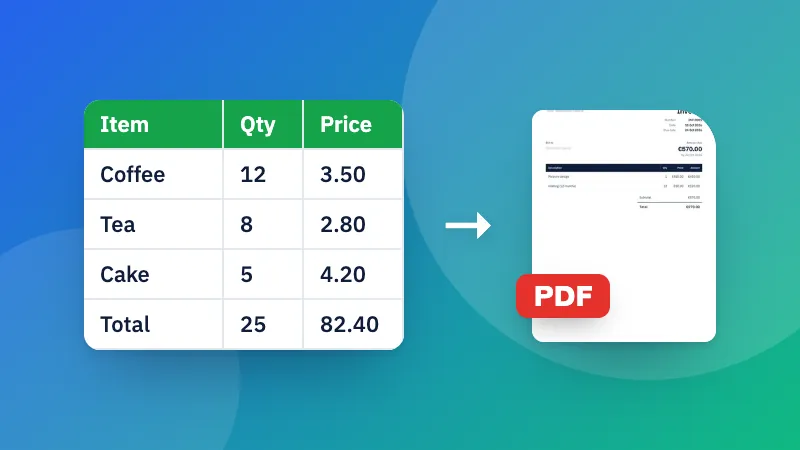
Need a different format? See Excel to CSV, CSV to Excel and Excel to PDF.

Frequently asked questions

How do I open an Excel file without Excel?

Choose or drop the file here. XLSX, XLS, ODS and CSV files open straight away in your browser, on a computer or a phone, and you can search, sort and edit them.

Are formulas and formatting kept?

The viewer shows and saves cell values, the way Excel displays them. Formulas, colors, charts and merged cells aren't kept when you save, so keep your original file if you need them.

How do I edit a cell?

Click or tap the cell and type. Press Enter or click elsewhere to finish. Use the buttons above the table to add rows and columns, and the × next to a row number to delete that row.

Is my file uploaded?

No. The spreadsheet is opened and edited in your browser, which also makes it safe for confidential data.

Masuk ke ZYBERMART

Simpan CV, invoice, flashcard, catatan, dan alat tersimpan Anda di semua perangkat. Gratis, dan semua alat tetap berfungsi sama tanpa akun.

atau

Tanpa kata sandi. Dengan masuk, Anda menyetujui ketentuan kami; lihat cara kami mengelola data Anda di kebijakan privasi.

Akun Anda

Saat keluar, salinan pekerjaan Anda tetap tersimpan di browser ini. Di komputer bersama, hapus data browser setelahnya.

Apa yang ingin Anda buat?

Desain

Media sosial

Dokumen

Belajar

Edit

Lihat semua 282 alat