Instal ZYBERMART

Buka semua alat dari layar utama atau dock, di jendelanya sendiri. Alat yang pernah Anda gunakan juga bisa dipakai offline.

Flatten PDF

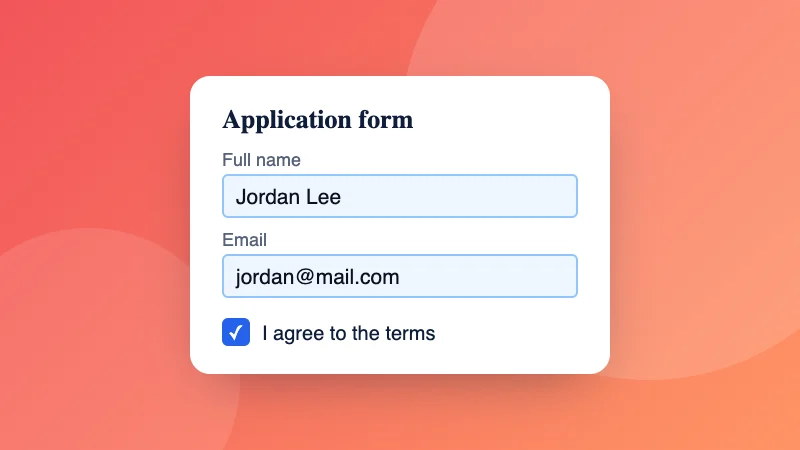
Flatten PDF agar formulir yang sudah diisi, komentar, dan tanda tangan menyatu dengan halaman dan tidak bisa diubah.

How to flatten a PDF

  1. Choose your PDF, for example a form you’ve filled in.
  2. Pick “Form fields only”, or “Everything, as pictures” to also lock in comments and signatures.
  3. Download the flattened PDF.

Need to fill in the form first? Use Fill PDF form. To stop others opening it, add a password.

Frequently asked questions

What does flattening a PDF do?

It makes the PDF look the same everywhere and stops it being changed easily. Filled-in form fields become ordinary text on the page, so the answers can't be edited and print correctly in every app.

Which option should I choose?

“Form fields only” keeps the text sharp and searchable, and suits filled-in forms you're sending back. “Everything, as pictures” also bakes in comments, stamps, highlights and signatures, and makes text impossible to edit or copy; the file is usually bigger.

Why do my form answers disappear in some apps?

Some phone apps and printers don't show form fields properly. Flattening turns the answers into page content, so they always show.

Is my PDF uploaded?

No. The PDF is flattened in your browser.

Can I flatten several PDFs at once?

Yes. Choose or drop several PDFs together: each one is flattened the way you choose and they download in one ZIP file.

Masuk ke ZYBERMART

Simpan CV, invoice, flashcard, catatan, dan alat tersimpan Anda di semua perangkat. Gratis, dan semua alat tetap berfungsi sama tanpa akun.

atau

Tanpa kata sandi. Dengan masuk, Anda menyetujui ketentuan kami; lihat cara kami mengelola data Anda di kebijakan privasi.

Akun Anda

Saat keluar, salinan pekerjaan Anda tetap tersimpan di browser ini. Di komputer bersama, hapus data browser setelahnya.

Apa yang ingin Anda buat?

Desain

Media sosial

Dokumen

Belajar

Edit

Lihat semua 282 alat