Installera ZYBERMART

Öppna alla verktyg från hemskärmen eller Dock, i ett eget fönster. Verktyg du har använt fungerar även offline.

Word till text

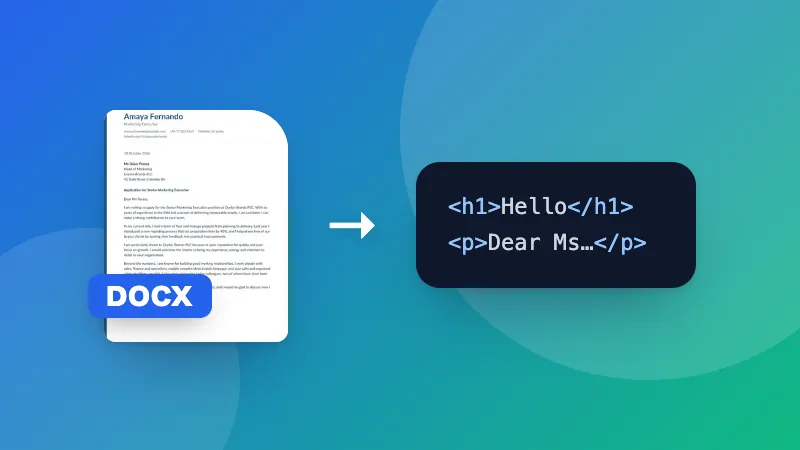
Hämta den rena texten ur ett Word-dokument för att klistra in var som helst, utan formatering.

How to get the text out of a Word document

  1. Choose your .docx file.
  2. The plain text appears in the box.
  3. Copy it, or download it as a .txt file.

Count words, characters and pages with the Word document counter, or keep headings and lists with Word to HTML.
Frequently asked questions

What happens to tables, images and formatting?

Formatting such as bold and fonts is removed, and images are left out. Text in tables is kept, with each cell on its own line.

Can I convert .doc files?

No, only .docx (Word 2007 and later). Save older .doc files as .docx in Word, Google Docs or LibreOffice first.

Why extract plain text?

To paste text into a website, email or form without messy formatting, to count words, or to feed it into another tool.

Is my document uploaded?

No. The text is extracted in your browser.

Logga in på ZYBERMART

Ha dina CV:n, fakturor, flashcards, anteckningar och sparade verktyg på alla dina enheter. Det är gratis, och verktygen fungerar likadant utan konto.

eller

Inget lösenord behövs. Genom att logga in godkänner du villkoren. Läs hur vi hanterar dina data i integritetspolicyn.

Ditt konto

När du loggar ut finns en kopia av ditt arbete kvar i den här webbläsaren. På en delad dator bör du rensa webbläsardata efteråt.

Vad vill du skapa?

Designer

Sociala medier

Dokument

Studier

Redigera

Visa alla 282 verktyg