Installera ZYBERMART

Öppna alla verktyg från hemskärmen eller Dock, i ett eget fönster. Verktyg du har använt fungerar även offline.

QR-kodgenerator

Designa QR-koder för länkar, wifi, kontakter, WhatsApp, platser och evenemang, med punktstilar, toningar och din logotyp.

Print it once, change where it goes any time, and see how many times it was scanned. It's free; sign in to make one.

Style

Colors

Logo

Settings

How to make a QR code

  1. Choose what the code should do: open a website, share a contact card, join a Wi-Fi network, send a WhatsApp message and more.
  2. Fill in the details. The preview updates as you type.
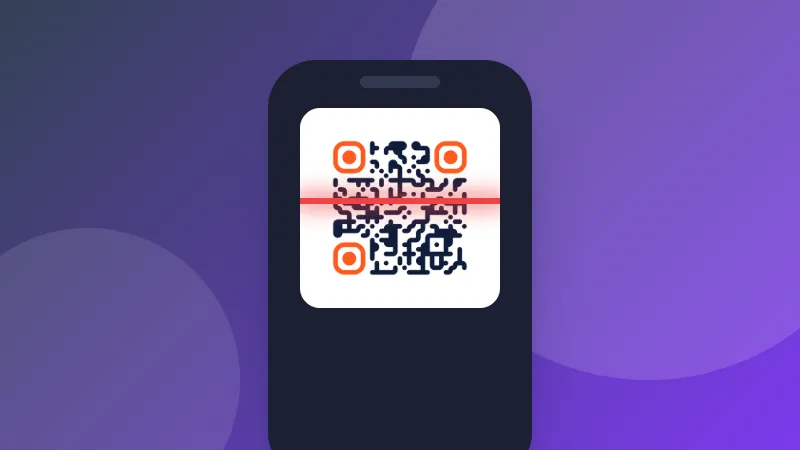
  3. Pick a style, colors and your logo, check that it says “Scans correctly”, then download it as PNG, SVG, JPG or WEBP.

Test before you print. Scan the code with your phone's camera to make sure it opens the right thing, especially after changing colors.

Tips for QR codes that always scan

  • Keep strong contrast: a dark code on a light background. Inverted (light on dark) codes don't work with every scanner.
  • Leave a quiet zone: keep a clear margin around the code; the downloads include one.
  • Print it large enough: at least 2 × 2 cm (about 0.8 inch) for close-up scanning, larger for posters read from a distance.
  • Shorter is better: short links and text make simpler codes that scan faster.

QR Code is a registered trademark of DENSO WAVE INCORPORATED.
Frequently asked questions

Do these QR codes expire?

No. Normal QR codes contain your link or text directly, so they work forever and don't depend on our website. Editable QR codes are the exception: they open a short link on this site, so they work for as long as you keep them, free, with no subscription.

What is an editable QR code?

A QR code you can change after printing. It opens a short zybermart.cloud link that sends people to the address you choose, and you can change that address at any time, for example when your menu or offer changes. You also see how many times it was scanned. Sign in (free) to make up to 50.

Can I use the QR codes commercially?

Yes. The codes you create are yours to use on menus, flyers, packaging, business cards and anywhere else, free of charge.

How do Wi-Fi QR codes work?

A Wi-Fi QR code stores the network name, password and security type in a standard format. When someone scans it with a phone camera, the phone offers to join the network without typing the password.

What does error correction mean?

Error correction lets a QR code still scan when part of it is dirty, damaged or covered by a logo. Higher levels make the code more robust but denser. “Medium” suits most uses; choose “High” for printed codes that might get worn.

Can I add my logo?

Yes. Add a logo and the dots behind it are cleared. Error correction is raised to High automatically so the code still scans with part of it covered. Keep the logo at about 30% of the width or less, and check the “Scans correctly” message before printing.

PNG or SVG?

Use PNG for websites, documents and messages. Use SVG for print: it's a vector format, so it stays perfectly sharp at any size, from a business card to a poster.

Logga in på ZYBERMART

Ha dina CV:n, fakturor, flashcards, anteckningar och sparade verktyg på alla dina enheter. Det är gratis, och verktygen fungerar likadant utan konto.

eller

Inget lösenord behövs. Genom att logga in godkänner du villkoren. Läs hur vi hanterar dina data i integritetspolicyn.

Ditt konto

När du loggar ut finns en kopia av ditt arbete kvar i den här webbläsaren. På en delad dator bör du rensa webbläsardata efteråt.

Vad vill du skapa?

Designer

Sociala medier

Dokument

Studier

Redigera

Visa alla 282 verktyg