Installera ZYBERMART

Öppna alla verktyg från hemskärmen eller Dock, i ett eget fönster. Verktyg du har använt fungerar även offline.

Skannad PDF till text (OCR)

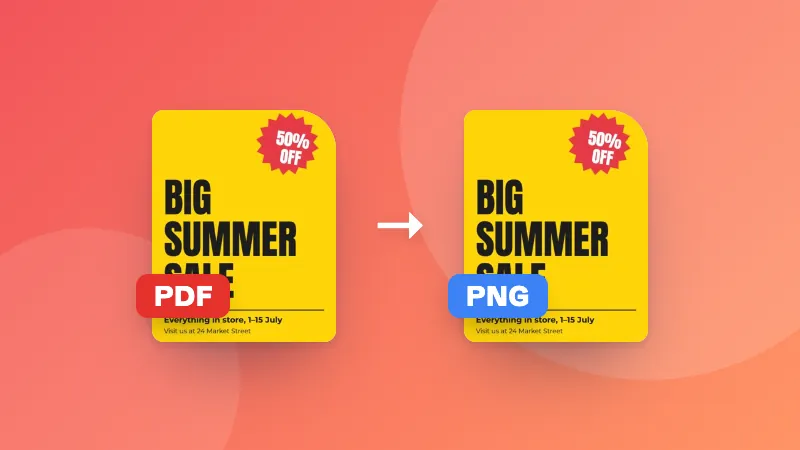
Läs texten i skannade PDF:er med OCR, och kopiera den eller ladda ner en sökbar PDF där du kan markera och söka.

How to convert a scanned PDF to text

  1. Choose the language of the document.
  2. Choose your scanned PDF. Each page is read in turn.
  3. Copy the text, download it as a .txt file, or download a searchable PDF.

Want to edit the text in Word? Paste it into a document, or convert the searchable PDF with PDF to Word.

Frequently asked questions

What is a searchable PDF?

A PDF that looks exactly like your scan, with an invisible text layer on top. You can then search it with Ctrl+F, select and copy text, and find it in your computer's search.

How long does it take?

Usually 2–6 seconds per page on a laptop, longer on phones. Large documents are read page by page, and you can see the progress.

My PDF already has text. Do I need OCR?

If you can select the text in your PDF viewer, it already has text; use PDF to Text instead, which is faster and exact. OCR is for scans and photos saved as PDF.

Is my PDF uploaded?

No. Every page is read in your browser with the open-source Tesseract engine.

Logga in på ZYBERMART

Ha dina CV:n, fakturor, flashcards, anteckningar och sparade verktyg på alla dina enheter. Det är gratis, och verktygen fungerar likadant utan konto.

eller

Inget lösenord behövs. Genom att logga in godkänner du villkoren. Läs hur vi hanterar dina data i integritetspolicyn.

Ditt konto

När du loggar ut finns en kopia av ditt arbete kvar i den här webbläsaren. På en delad dator bör du rensa webbläsardata efteråt.

Vad vill du skapa?

Designer

Sociala medier

Dokument

Studier

Redigera

Visa alla 282 verktyg